


Connecting
On this page are several guides for connecting to Escargot through our various frontends.

MSN Messenger/Windows Live Messenger
pre-4.7.2005
Patching these versions of MSN ultimately involves the registry, but there are two ways to acheive this.
The first, and easy way to patch MSN Messenger versions before 4.7.2005 is to download a registry file we made specifically to get these versions to connect to Escargot, which is available here.
After downloading the file, right-click on it in the directory it was downloaded to and select the "Merge" option.

You should then get a dialog box asking if you want to merge the changes in the file to the registry, as shown below:
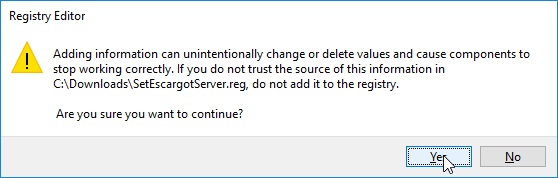
Click on 'Yes', and you should get the following message.
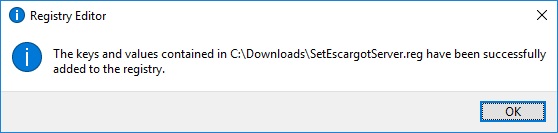
The second, more advanced method is to go into the registry itself and add the key needed to connect to Escargot from MSN Messenger. Note that you must be aware that if you're not experienced enough with modifying the Windows registry, you can potentially corrupt your computer's configuration and potentially render it at an unusable state. However, if you're feeling courageous or can't use our supplied registry file, then proceed with caution.
First, you must open Regedit. This is usually done by pressing Win + R, and typing regedit in the dialog box that appears.
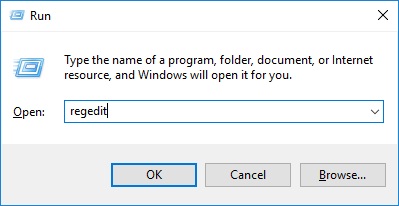
In Regedit, navigate to HKEY_CURRENT_USER\Software\Microsoft\MessengerService (foreword for people using 5.0 - 6.2, navigate to HKEY_CURRENT_USER\Software\Microsoft\MSNMessenger instead). In the right-hand pane, check for a registry value named Server. If it exists, edit it so that it contains m1.msn.impactoservers.online. If it doesn't, create a registry value with the exact name and value mentioned before. Close Regedit after you're done with this process.
After you're done changing the configuration, make sure MSN Messenger isn't running in the background. If it is, then close it. Launch it, and then proceed with login.
5.0 and above (Pre-patched)
Download the version of MSN Messenger you seek. When you're done, if you're installing MSN Messenger 5.0 - 6.2, follow the registry instructions mentioned in the pre-4.7.2005 section. Other than that, you're good to go!
4.7.2005 - 3001, 5.0, and above (Unpatched)
Our new patching method for these clients is a bit advanced, so we advise people who don't know what they're doing to stay away from these instructions and possibly refer to someone that can patch them.
To patch these clients, you will need the Escargot Switcher component's files. You will also need a program that can manipulate PE (.exe) import tables (that's what loads all the libraries programs rely on). We recommend Stud_PE for this.
First, extract the Switcher DLL and base configuration INI from the downloaded ZIP, change the type value in the configuration to msn, and copy both files to MSN Messenger's program directory, where msnmsgr.exe is located.
Next, open the msnmsgr.exe file in your PE import table editor. Add an import to the Switcher DLL in the executable with the function ImportMe (this is the only one that's been exported from the DLL) and save your changes.
If you're patching WLM 2009, then you should also copy the Switcher files to the directory where wlcomm.exe is located, and edit it the same way you patched msnmsgr.exe. If you're dealing with 4.7 - 6.2, then follow the same registry instructions in the pre-4.7.2005 section. You should be able to use MSN Messenger after completing all the steps.

Yahoo! Messenger
5.0 and 5.5 (Pre-patched)
Download a version of Yahoo Messenger of out the many pre-patched versions we offer and install. Simple as that.
5.0 and 5.5 (Unpatched)
Our new patching method for these clients is a bit advanced, so we advise people who don't know what they're doing to stay away from these instructions and possibly refer to someone that can to patch them.
Assuming you've already installed an unpatched version of Yahoo! Messenger, open Regedit, navigate to HKEY_CURRENT_USER\Software\Yahoo\Pager, and change the socket server and Host Name (if available) values to m1.msn.impactoservers.online. In the same subkey, navigate to FileTransfer and also change the Server Name value to the same URL.
To actually patch Yahoo! Messenger 5.0 and 5.5, you'll need the Escargot Switcher component's files and a program that can manipulate PE import tables. Extract the Switcher DLL and base configuration INI from the downloaded ZIP, change the type value in the configuration to yahoo, and copy the files to Yahoo! Messenger's installation directory, where YPager.exe is located. Open the file in your PE import table editor, import the Switcher DLL with the function ImportMe and save your changes.
TODO